
10 minutes

Setting up the Hebtrek Mediabox

Menu boards and promotions on any screen

The Mediabox is a small unit that hangs behind a TV or monitor. It displays your menu, prices and promotions from the backoffice. Connect via HDMI and power; wifi and pairing are done with your phone.

What you need

  • The Mediabox, power adapter and HDMI cable
  • A TV or monitor with a free HDMI input
  • Your phone with camera (for the QR codes)
  • Your Hebtrek login (email address and password)
Setting up the Hebtrek Mediabox: Unpack and mountStep 1 / 7

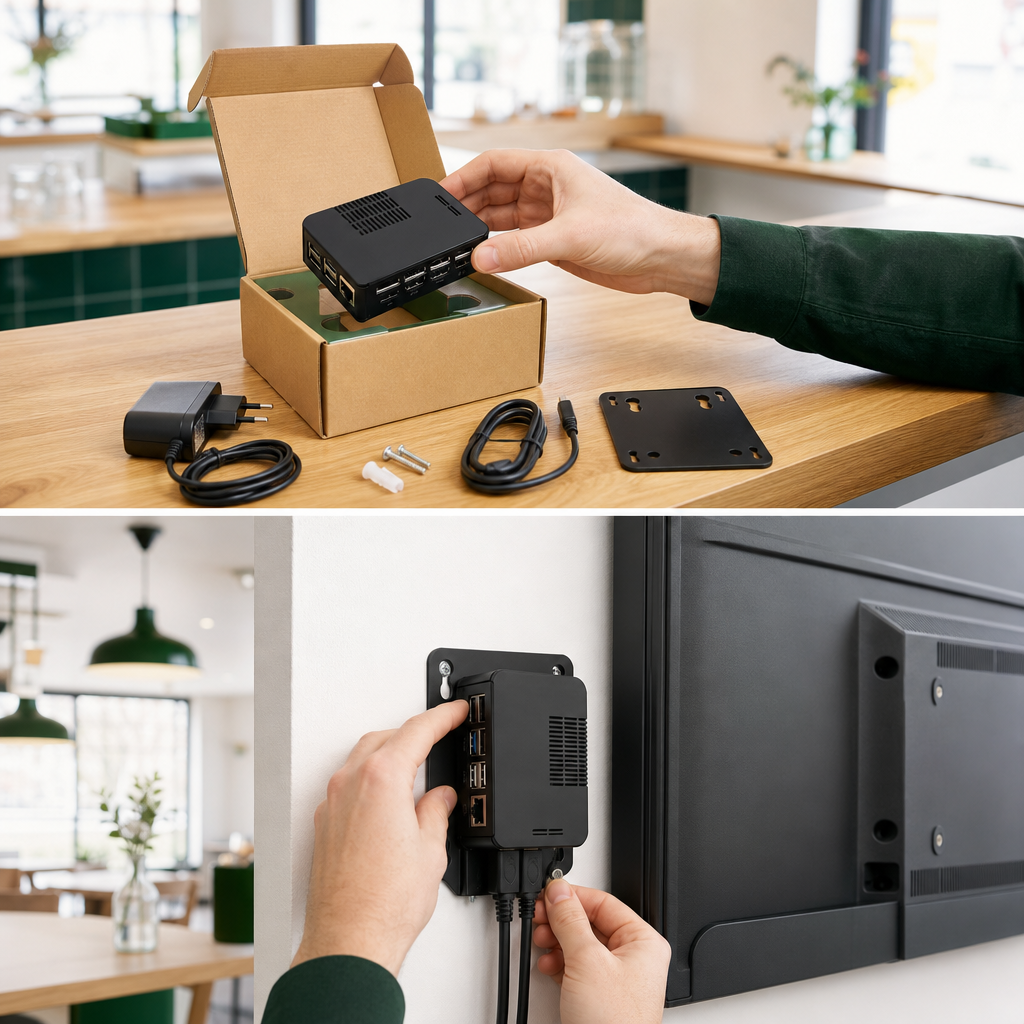
Unpack and mount

Take the Mediabox, power adapter and HDMI cable out of the box. Mount the unit behind or below the screen with the supplied velcro or bracket.

Give the unit room to breathe: not inside a closed cabinet and not on top of a warm amplifier.

Quick check

  • Mediabox, adapter and HDMI cable complete
  • Spot behind or below the screen chosen

Common mistakes

The screen stays black

Set the TV to the right HDMI input and check the light on the unit. Connect HDMI before power.

The Hebtrek-Display network does not appear on my phone

Temporarily disable mobile data and enable wifi. Wait thirty seconds after the unit boots.

The unit keeps losing connection

The wifi signal behind the screen is too weak. Use an ethernet cable or move a wifi extender closer.

The screen shows an old playlist

Check in the backoffice that the right playlist is linked to this screen. Power-cycle the unit once.

Need help?

Stuck? We help you right away, remotely if needed. Weekdays from 9 to 18h.